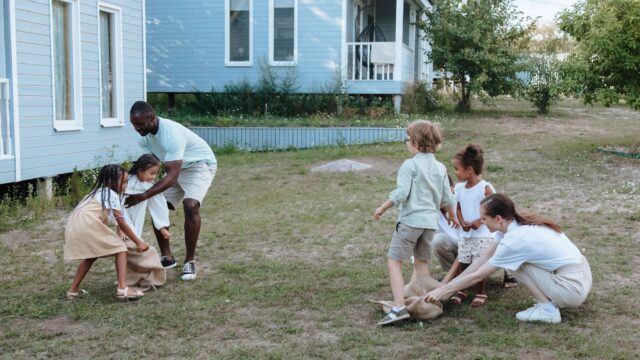
Screen-Free Activities by Age: Ideas for Home, Errands and Travel
Screen-free time works best when each age has a ready list of things to do. Here is a chart by age and place, plus tips for making the switch easier.
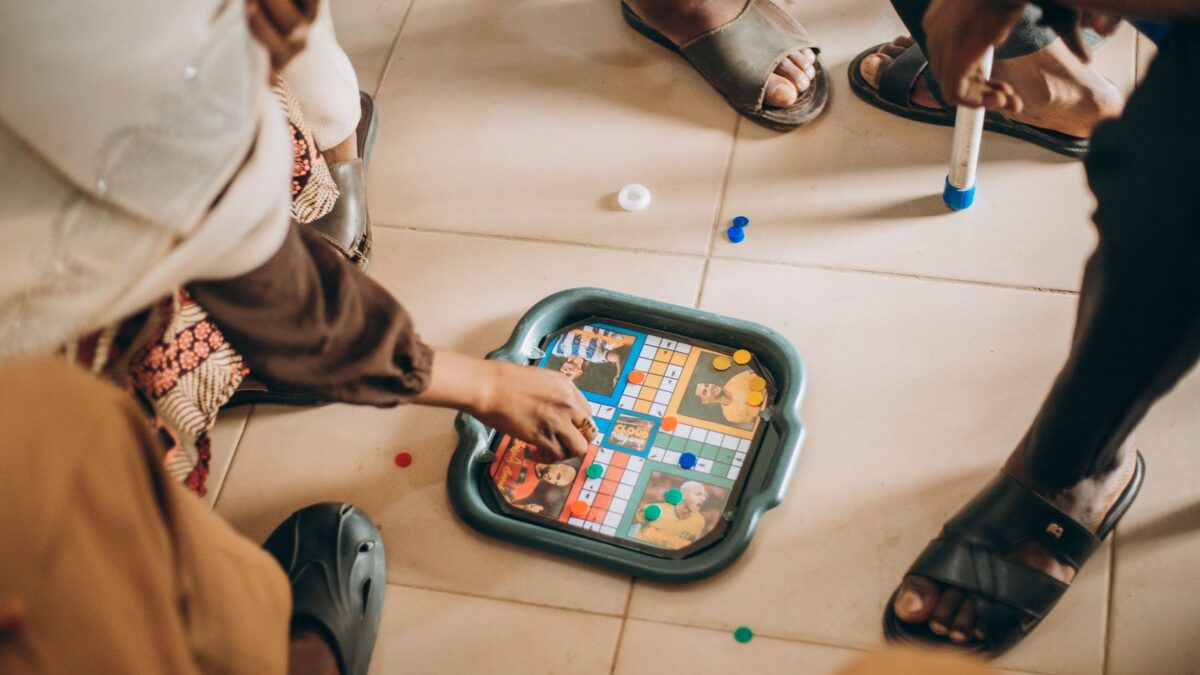
Screen-free time goes smoothest when each age has a short, ready-to-go list of things to do, matched to where you are: at home, running errands or traveling. Use the chart below to pick ideas, keep supplies in an easy-to-reach bin and start with small blocks of time instead of an all-day ban.
A quick note on screens
The American Academy of Pediatrics does not call for zero screens for every child. For babies under 18 months, the AAP advises limiting or avoiding screen media other than video chatting. For ages 2 to 4, it suggests keeping screens to set times, such as long car or plane rides, choosing quality content and avoiding open access to a tablet or phone. For all ages, the AAP recommends a written family media plan with screen-free zones, such as the dinner table, homework time and before bed. Talk to your pediatrician about what is right for your child.
Ideas by age and place
| Age | At home | Errands and waiting | Traveling |
|---|---|---|---|
| Toddlers (1 to 3) | Blocks, stacking cups, play dough, water play, picture books, dance party | Board book, a snack at a safe spot, “I spy” colors | Soft toys, sticker pad, finger-play songs, window clings |
| Preschool (3 to 5) | Pretend play, art, simple puzzles, kitchen helper jobs, fort building | Shopping-list jobs, counting items, drawing pad | Audiobooks, I Spy, small activity bag |
| Early elementary (6 to 8) | Craft kits, board games, Lego-style building, science experiments, reading | Scavenger hunt in the store, comics, trivia questions | License plate games, travel journals, card games |
| Upper elementary (9 to 12) | Cooking projects, model kits, sports practice, long reads, drawing series | Planning the route, estimating costs, puzzle books | Navigator jobs, audio mysteries, strategy games |
| Teens (13 and up) | Music, sports, cooking, volunteering, a part-time job, hobbies | A podcast, a notebook, a short walk | Playlist swaps, photography, trip planning |
Toddlers (1 to 3)
At this stage, hands-on play is the main job. Offer open-ended items such as blocks, cups, scarves and cardboard boxes, and let your child lead. Rotate toys instead of putting everything out at once. Keep items with small parts away from children under 3, and supervise water play closely. If you need a break, put a few board books in a basket within reach.
Preschoolers (3 to 5)
Preschoolers love pretend play, helping and making things. Give them real jobs, such as washing vegetables, matching socks or setting the table. Set up a simple art tray with paper, crayons and stickers. The AAP also cautions against using devices to soothe an upset or bored child at this age, so keep a short “calm-down” list of books, songs or cuddles. For a deeper list, see our guide to screen-free play for 5-year-olds.
School-age kids (6 to 12)
- Make things: Craft kits, cardboard builds, comics, journals and baking.
- Move: Bike rides, backyard games, jump rope and neighborhood walks.
- Play games: Board games, card games, puzzles and math or word games.
- Read: Chapter books, graphic novels and audiobooks. A weekly library trip keeps the supply fresh.
- Help out: Meal prep, yard work and pet care. Kids this age often like being useful.
Teens (13 and up)
Teens often respond better to choices than to rules. Offer a short list of options, such as a family cook-off, a hike, a game night or a project with a friend. Let them set up part of the plan and agree on screen-free windows together, such as dinner and the hour before bed. Talk through it as a family: a teen who helped write the plan is more likely to follow it.
How to make screen-free time work
- Start small. Try one screen-free hour a day or one screen-free meal before expanding.
- Choose the anchor times. Meals, homework, the car and the hour before bed are the easiest to protect.
- Have the alternatives ready. Put a “yes list” on the fridge. If kids ask “What can I do?”, point to the list instead of saying no. Our boredom jar turns that list into a game.
- Plan the transition. Give a five-minute warning before screens go off. A sudden switch often sets off a meltdown.
- Model it. Kids notice when adults check phones at dinner. Make the rules apply to everyone.
- Allow boredom. Kids who are bored often come up with their own games. Resist the urge to rescue them right away.
- Review and adjust. Revisit the plan every few months, especially after the start of school or a holiday break.
When you are out and about
Waiting rooms, restaurants and long lines are the moments that tempt families most. Keep a small pouch in the bag with a pad, a pen, a deck of cards and a book or two. For longer drives, our road trip games need almost no supplies. On rainy afternoons, try the low-setup ideas in rainy day activities for kids.
Bottom line
Screen-free does not have to mean screen-never. Match activities to age and place, protect a few anchor times such as meals and bedtime, and keep ready-made alternatives close by. Put your rules in a family media plan, and talk to your pediatrician if you have questions about your child’s screen use.
FAQ
How much screen time is too much?
The AAP now focuses on a family media plan and on what screens crowd out, such as sleep, play, reading and conversation, rather than a single number for every child. Ask your pediatrician for guidance on your child’s age.
How do I get my child to play without screens?
Start with short blocks, offer a few clear choices, join in for the first few minutes and then step back. Keep a basket of open-ended materials where kids can reach them.
What should I do when my child melts down at screen-off time?
Give a warning, use a visual timer and offer a specific next activity. Stay calm, name the feeling and be consistent from day to day.
Are educational apps okay?
Some can be useful, especially when you use them together and when they do not replace sleep, play or reading. Choose quality content, turn off autoplay and check in with your pediatrician if unsure.